> ## Documentation Index
> Fetch the complete documentation index at: https://docs.cellulose.ai/llms.txt
> Use this file to discover all available pages before exploring further.
# Dashboard Settings
> Learn how to set up your profile or troubleshoot issues on Cellulose
## Forgot Your Password?
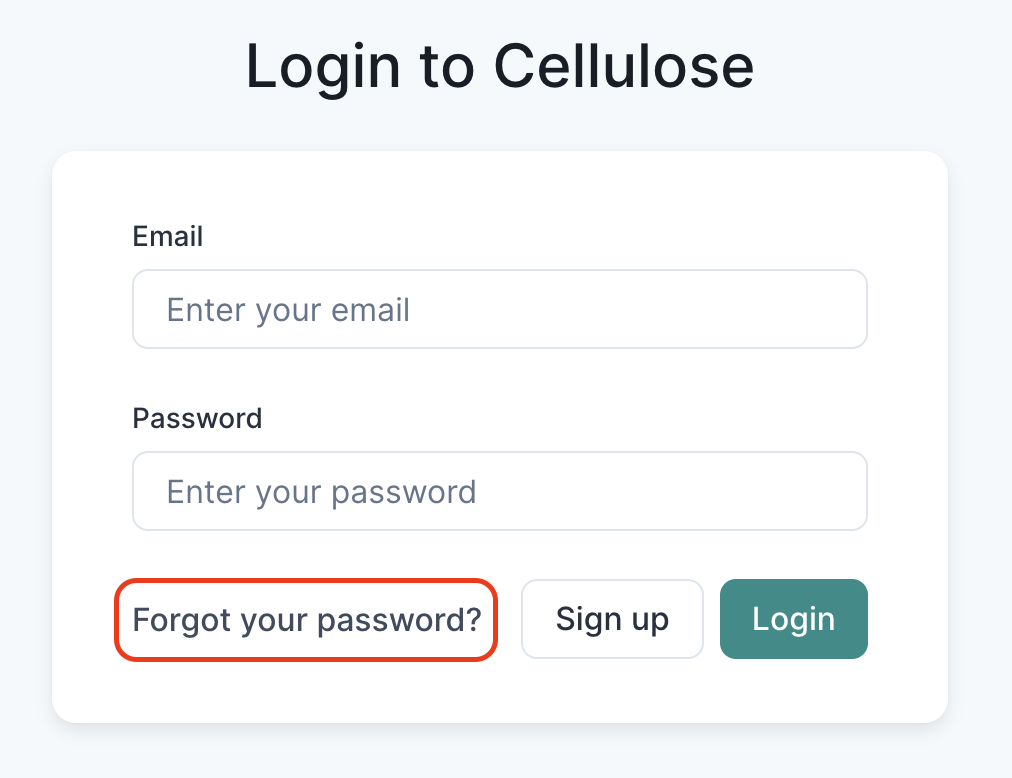
Forgot your password and can't log into Cellulose? No worries! Just click on
**Forgot Your Password?** here and enter your login email address.
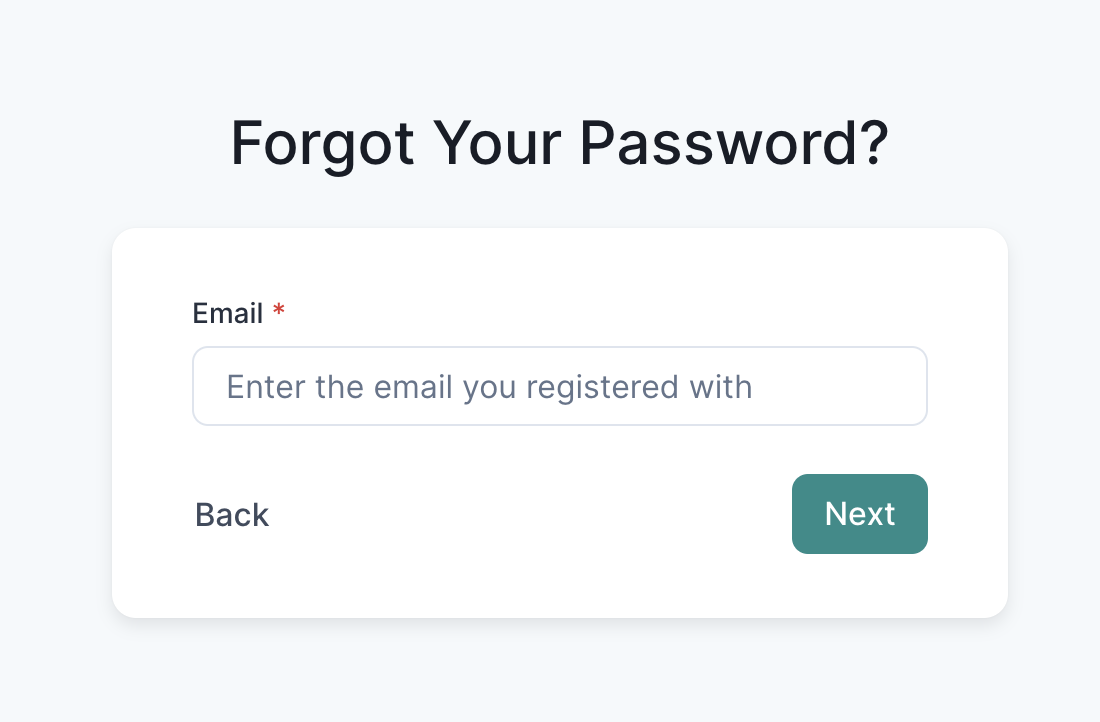 An email with a password reset link will be sent to you if a Cellulose account
is associated with it.
## Password Resets
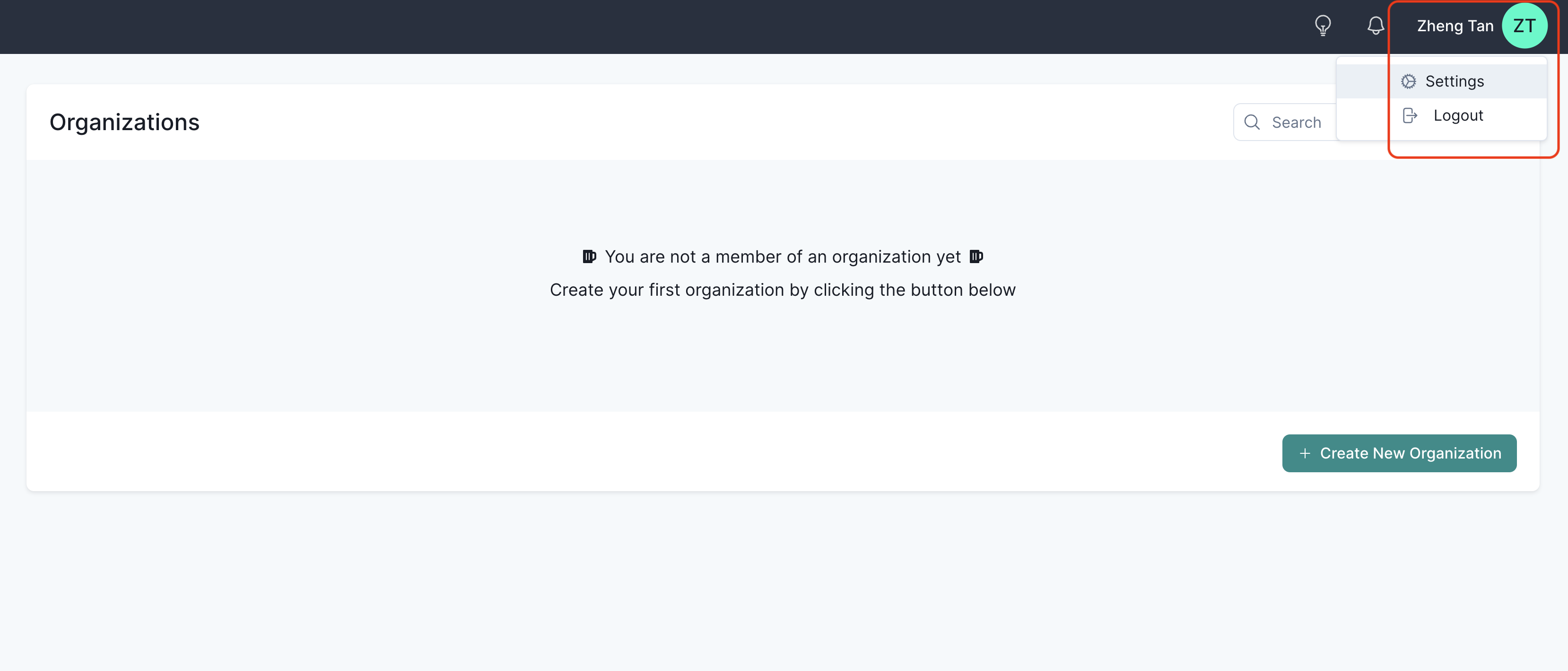
Some basic account security settings are accessible via the top header bar.
An email with a password reset link will be sent to you if a Cellulose account
is associated with it.
## Password Resets
Some basic account security settings are accessible via the top header bar.
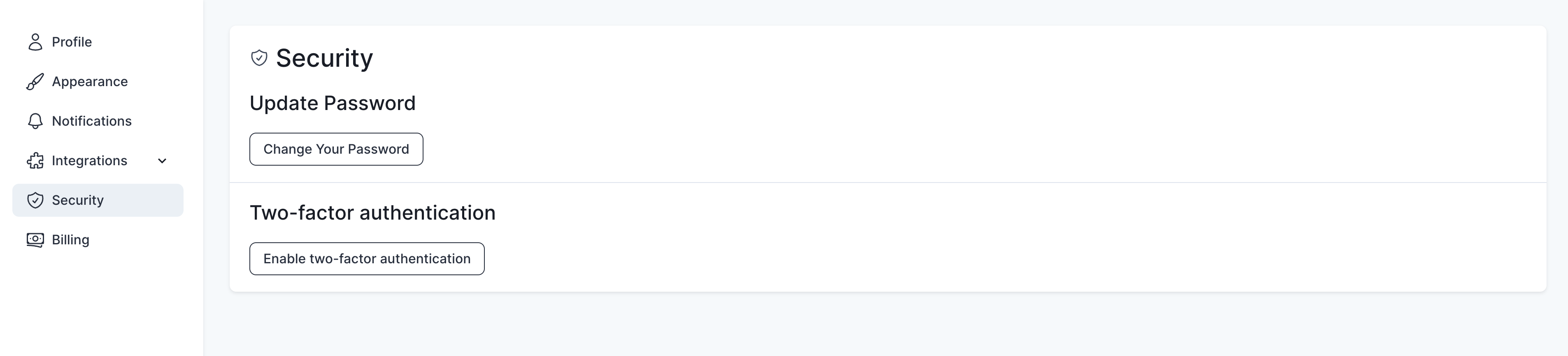 [Two-factor authentication support](https://en.wikipedia.org/wiki/Multi-factor_authentication)
is coming soon! Please refer to our Roadmap documentation below on the
most up-to-date ETAs for such security features.
## Profile Settings
You can also change other details like adding a full name here so your
collaborators can better identify you on the same workspace / organization.
[Two-factor authentication support](https://en.wikipedia.org/wiki/Multi-factor_authentication)
is coming soon! Please refer to our Roadmap documentation below on the
most up-to-date ETAs for such security features.
## Profile Settings
You can also change other details like adding a full name here so your
collaborators can better identify you on the same workspace / organization.
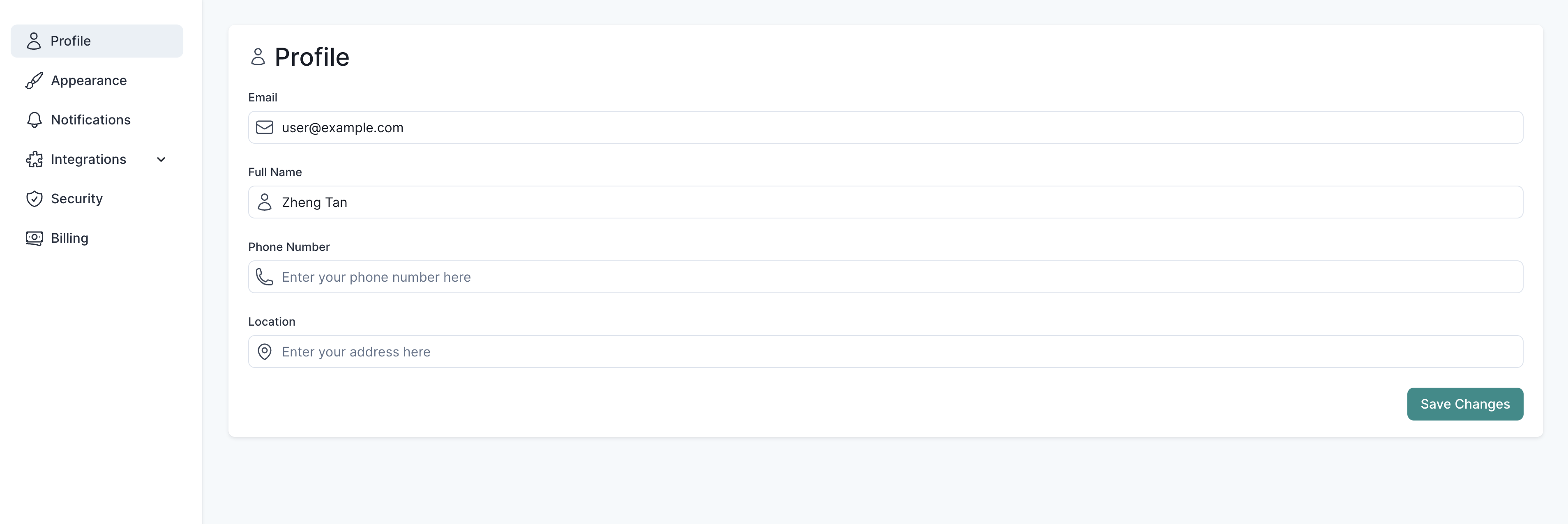 While names are optional, adding one to your profile lets us render nicer Avatar
icons and associated "used by / updated by" table columns by name! Pretty cool :)
## Light and Dark Mode (Beta)
Check out our light and dark mode support under the Appearance settings tab!
While names are optional, adding one to your profile lets us render nicer Avatar
icons and associated "used by / updated by" table columns by name! Pretty cool :)
## Light and Dark Mode (Beta)
Check out our light and dark mode support under the Appearance settings tab!

 Cellulose defaults to light mode by default. Unfortunately, this setting isn't
propagated to our backend so it doesn't persist across browsers, let alone devices.
This feature is still in beta as we're still ironing out the kinks (colors),
especially in dark mode. You may find that certain color contrasts make it
a little harder to read than it should be. We'll sort it out soon!
## Have questions / need help?
Please reach out to [support@cellulose.ai](mailto:support@cellulose.ai), and we'll get back to you as soon
as possible.
Cellulose defaults to light mode by default. Unfortunately, this setting isn't
propagated to our backend so it doesn't persist across browsers, let alone devices.
This feature is still in beta as we're still ironing out the kinks (colors),
especially in dark mode. You may find that certain color contrasts make it
a little harder to read than it should be. We'll sort it out soon!
## Have questions / need help?
Please reach out to [support@cellulose.ai](mailto:support@cellulose.ai), and we'll get back to you as soon
as possible.